# GetDeviceInfo

![](/files/FbhxRWAAfG6INlRYJRZ3)

{% tabs %}
{% tab title="Entry Vars" %}
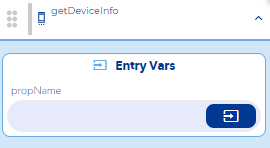
**propName:** You must enter the property you want to obtain information about.

* Read device id: uniqueId
* Read battery level: batteryLevel
* Read phone brand: brand
* Read the version of the app: buildNumber
* Read mobile provider: carrier
* Read phone model: deviceId

**Step by Step :**

<figure><img src="/files/FDe2dGuWytL7NcwO1kXr" alt=""><figcaption></figcaption></figure>
{% endtab %}

{% tab title="Callbacks & Outvar" %}
**onComputed :** It is executed when it returns the value of the entered property.

OutVars&#x20;

`Returns the information requested by the property assigned in the entry var`

**On error :** It is executed when the entered property is incorrect.

OutVars&#x20;

`THE "propName" VALUE ENTERED IN INCORRECT.`
{% endtab %}

{% tab title="Features" %}
Solo puedes obtener información que se especifica en las propiedades mostradas en los entry vars
{% endtab %}

{% tab title="examples" %}
**Nivel de bateria:**

<figure><img src="/files/iilczCcUU9WW9RYuuh7Y" alt=""><figcaption></figcaption></figure>
{% endtab %}
{% endtabs %}


---

# Agent Instructions: Querying This Documentation

If you need additional information that is not directly available in this page, you can query the documentation dynamically by asking a question.

Perform an HTTP GET request on the current page URL with the `ask` query parameter:

```
GET https://docs.apphive.io/reference/funciones/phone-apis-e/getdeviceinfo.md?ask=<question>
```

The question should be specific, self-contained, and written in natural language.
The response will contain a direct answer to the question and relevant excerpts and sources from the documentation.

Use this mechanism when the answer is not explicitly present in the current page, you need clarification or additional context, or you want to retrieve related documentation sections.