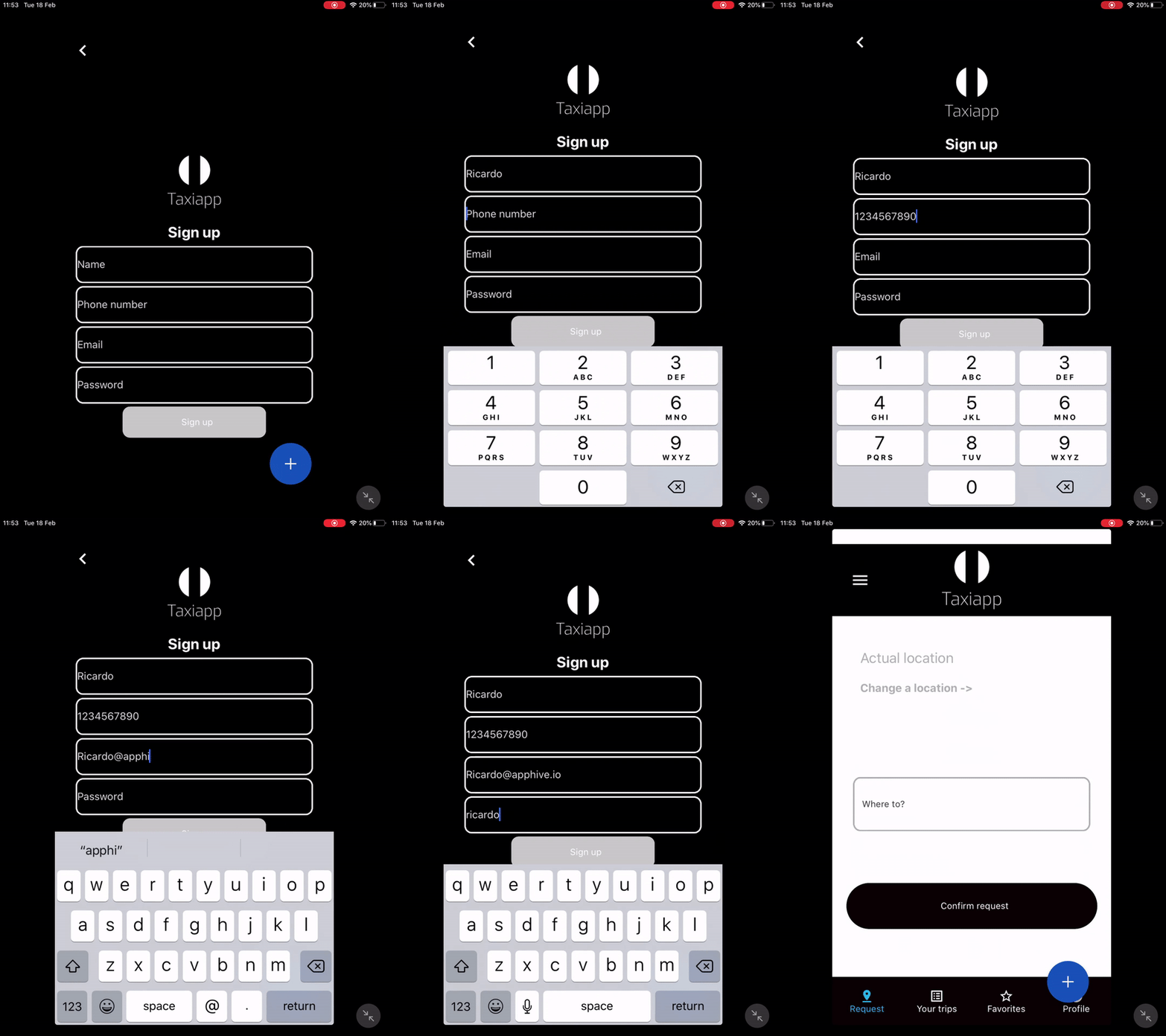
Sign Up
The Sign up is a function in the users functions which allows to the users access to the app by register his data. The users typically fill forms with a "username", "password", "phone number" and "email".
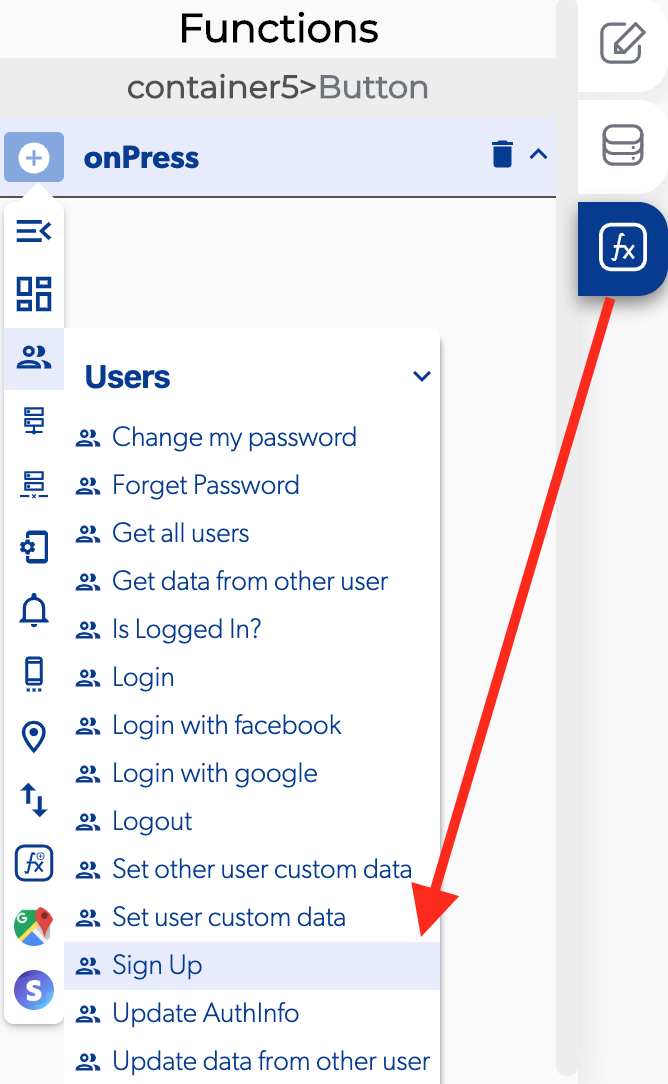
📥 Entry vars 
- Email: select a text field to provide a way for the user to set his email.
- Name: select a text field to provide a way for the user to set his name.
- Password: select a text field to provide a way for the user to set his password.
- Phone: select a text field to provide a way for the user to set his phone.
****↗ Callbacks
- Error registering: you can set functions after the user can't register to the app.
- Success: you can set functions after the user can register to the app.
- User is already signed in: you can set functions after the user is already sign up in the app.
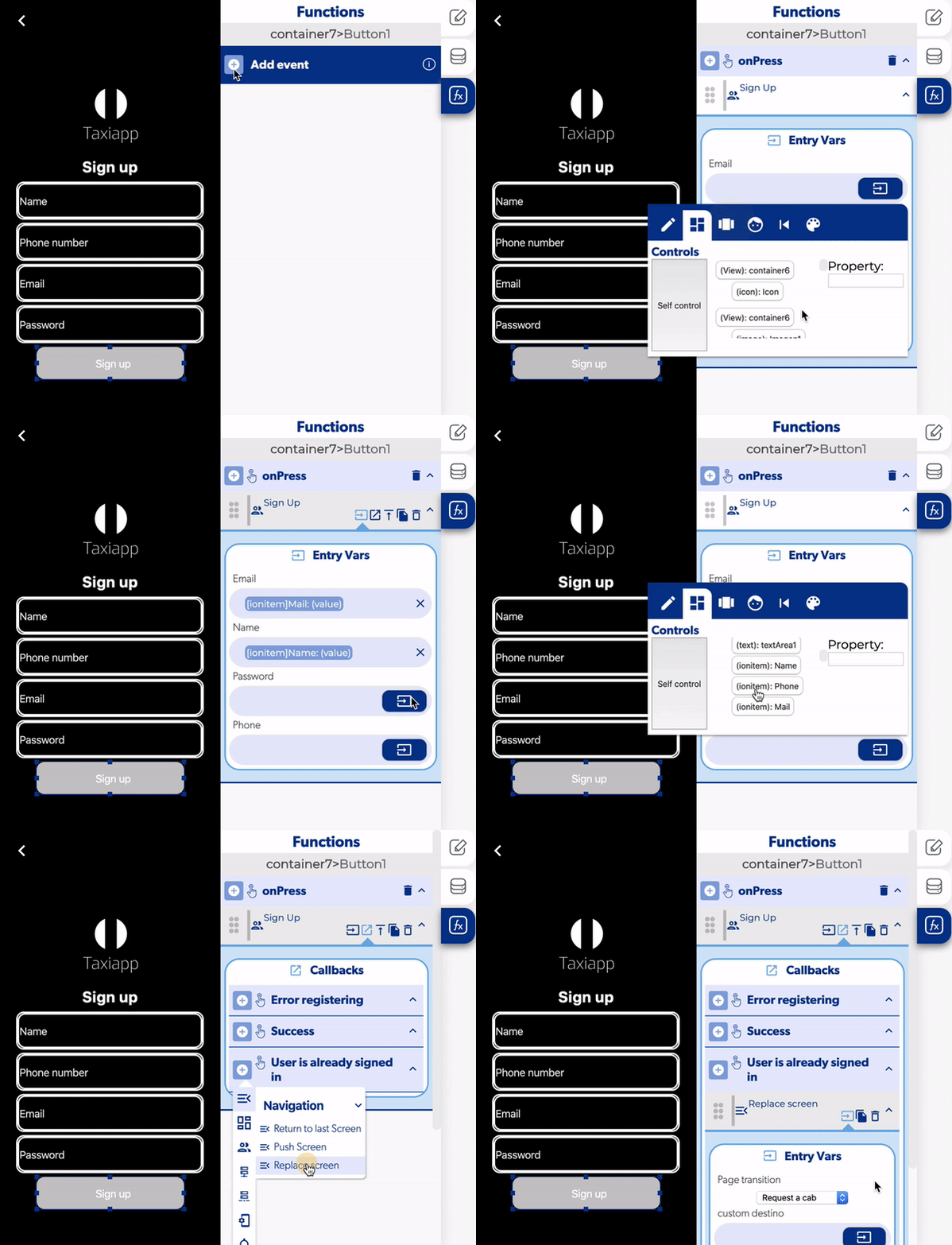
- Select the button and activate an on press.
- Select the element for input the email, name, phone and password.
- Open the sign up callbacks.
- Add a replace screen in the user is already signed in.
- Choose which screen the user will se after sign up.