replaceTopPage
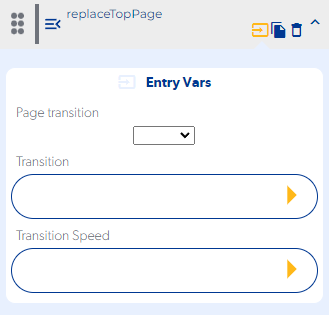
Entry Vars
Page transition : Select the screen of your application that you want to access
Transition : Select the type of animation with which the replace next screen will be displayed. (optional)
Transition Speed : Select the speed of the animation with which the replace next screen will be displayed. (optional)
Step by Step :
Callbacks & OutVars
(No contiene callbacks)
OutVars:
If a landing page is not selected, it will display an error message
"[pushPage] INVALID TARGET PAGE"
If the landing page was removed from the application, a message with the following error will be displayed
"[pushPage] INVALID TARGET PAGE *ID_PAGE*"