Modify Control
The modify control is a function in the elements functions which allows you to modify any element on the current screen, it could be a color, label, value, background color, etc.
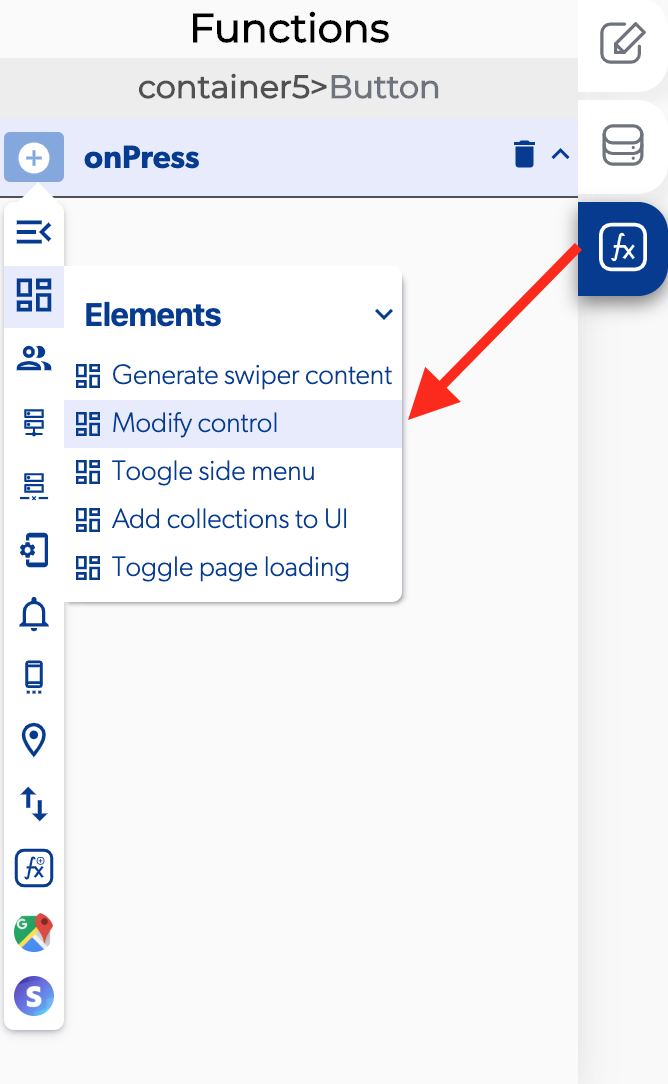
📥 Entry vars
- Data to send. Enter the data to be modified on the control
- Element. Select the control you want to modify
- Property to modify. Pick the property to be modified on the control
Info
To make easier to identify the control to select you can rename the control name
👉 Example. 
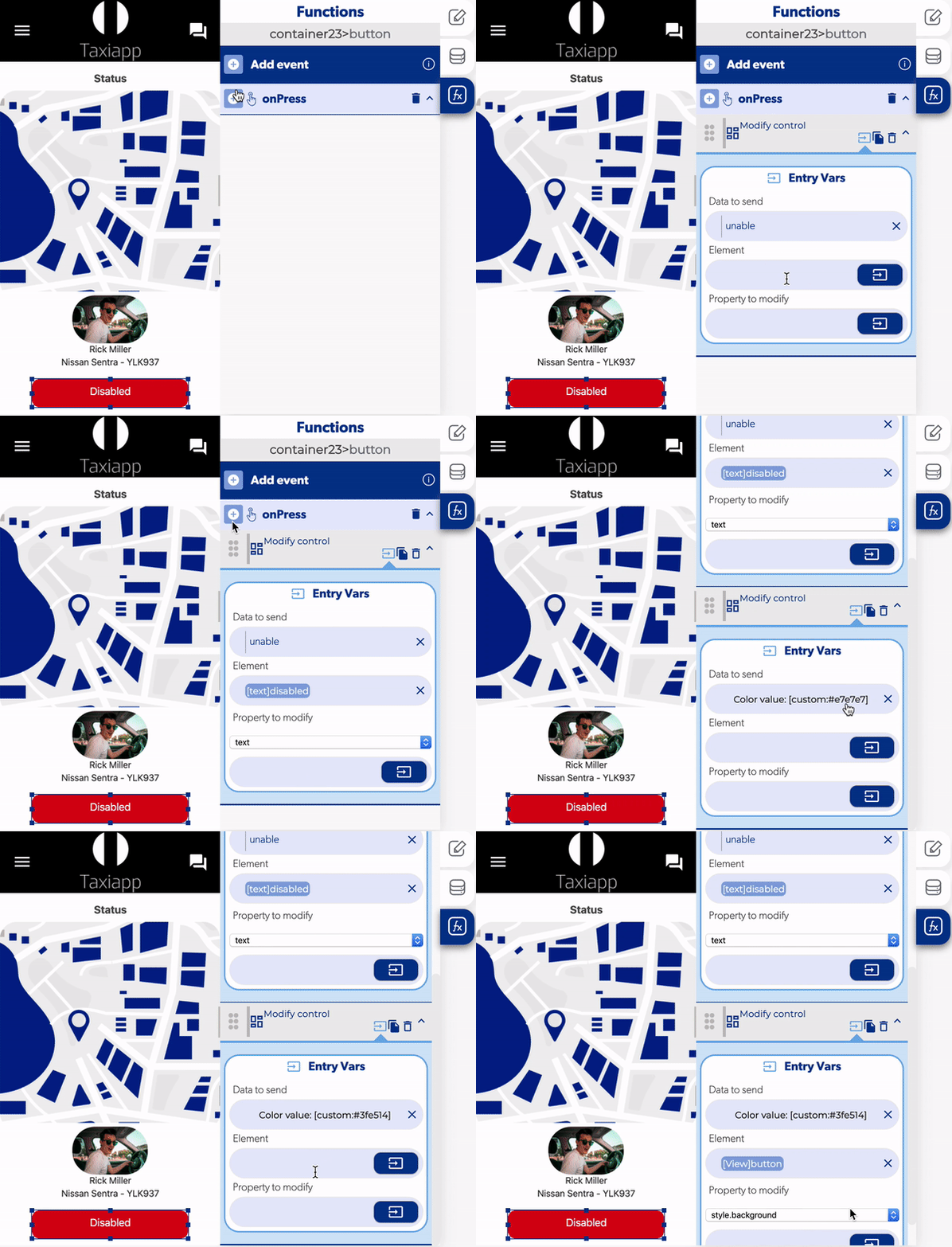
Modify a text on a button
- Select the element and add a modify control.
- Add an unable in data to send.
- Select the element text disabled to modify in the element input
- Select text as the property to modify.
Modify a color on a button
- Select the element and add a modify control.
- Add a color value to modify the element.
- Select the element button to modify in the element input.
- Select style.background as the property to modify.